Passing members on to the Watersportverbond
Ledenboek is an API partner of the Watersportverbond, the Dutch water sports federation. With the connection, new members, changes and cancellations go to Mijn.Watersportverbond automatically, and a new member's federation number comes back to Ledenboek by itself.
How it works
When you add a member or change their name, address, date of birth or membership, Ledenboek passes it on to the Watersportverbond straight away. Every evening at 23:30 Ledenboek goes through all members once more, so a change that did not get through during the day still arrives.
The other way round, the Watersportverbond lets Ledenboek know when something changes about a member on their side, such as a new federation number or a different address. Ledenboek takes that over on the member. Both sides recognise a member by their federation number.
What it costs
The connection is included in every Ledenboek subscription at no extra cost.
How to switch on the connection
-
1
Choose Ledenboek in Mijn.Watersportverbond
Log in to Mijn.Watersportverbond and open the settings for exchanging member data automatically with your membership software. Choose Ledenboek there and make up a secret: a password just for this connection. Also note your organisation number; you will find it with your club's details.
-
2
Enter the same in Ledenboek
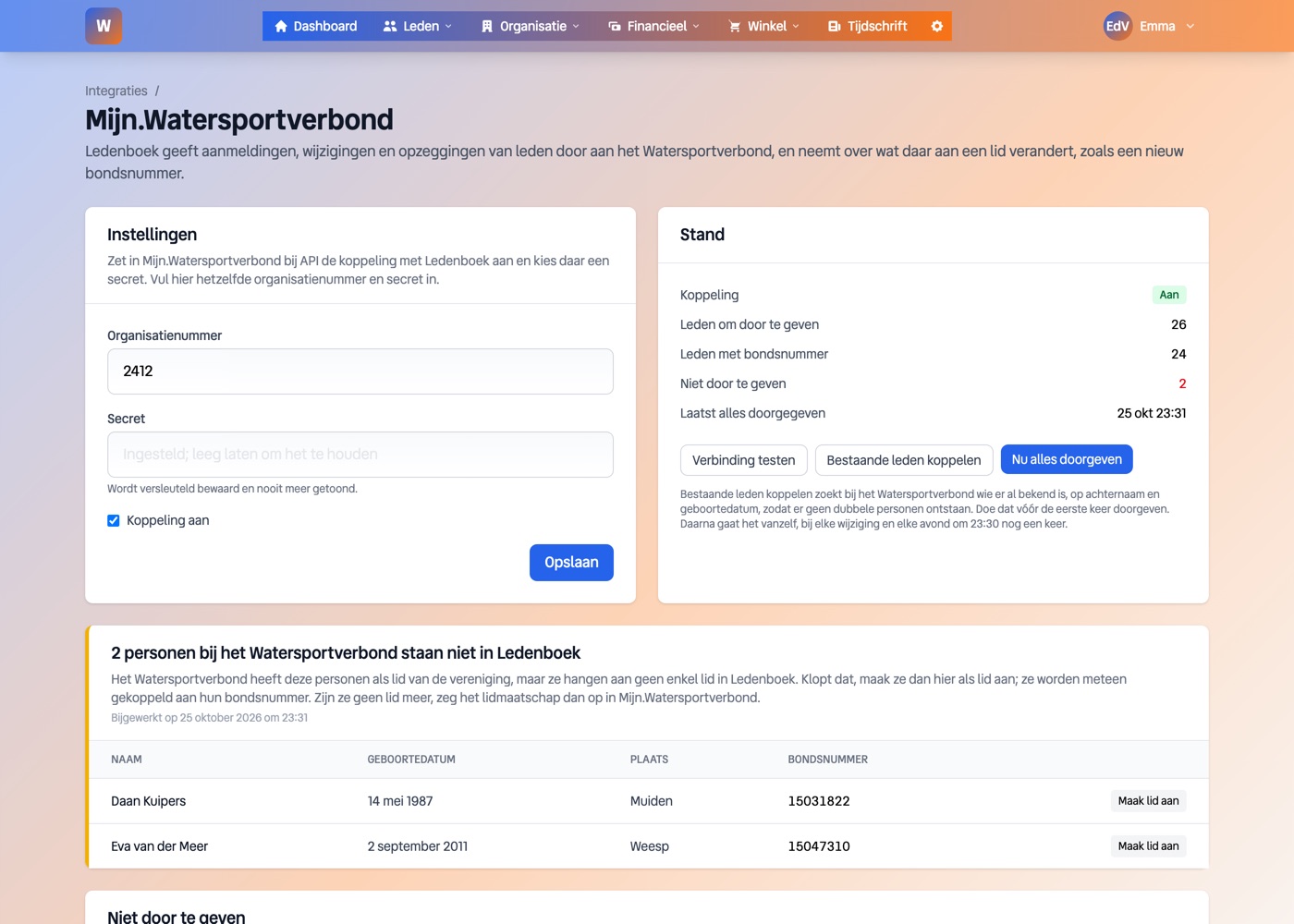
In Ledenboek, go to Settings, Integrations and click Manage next to Mijn.Watersportverbond. Enter the organisation number and the secret, tick Connection on and click Save. The secret is stored encrypted and never shown again.
-
3
Test the connection
Click Test connection. If it works, you will see "The connection works." If not, you will see the message from the Watersportverbond; usually the organisation number or the secret is not quite right.
-
4
Link your existing members
Click Link existing members before you pass anything on for the first time. Ledenboek fetches the members already registered with the Watersportverbond and looks them up by surname and date of birth. When it finds a match, the member in Ledenboek gets their federation number, so no duplicate people are created at the federation. Two members with the same name and date of birth are left alone rather than guessed.
-
5
See who is still missing
If someone is registered with the Watersportverbond but not in Ledenboek, they appear in a yellow list on the connection page. If they really are a member, click Create member: Ledenboek creates the member with the federation's details and links them to their federation number straight away. If they are no longer a member, cancel the membership in Mijn.Watersportverbond.
-
6
Pass everything on for the first time
Click Report everything now. Members without a federation number are registered with the Watersportverbond and get one; for the others the details are updated. After that there is nothing more to do. If a member is missing something the federation requires, they are listed under Cannot be reported, with what is missing.
What it looks like
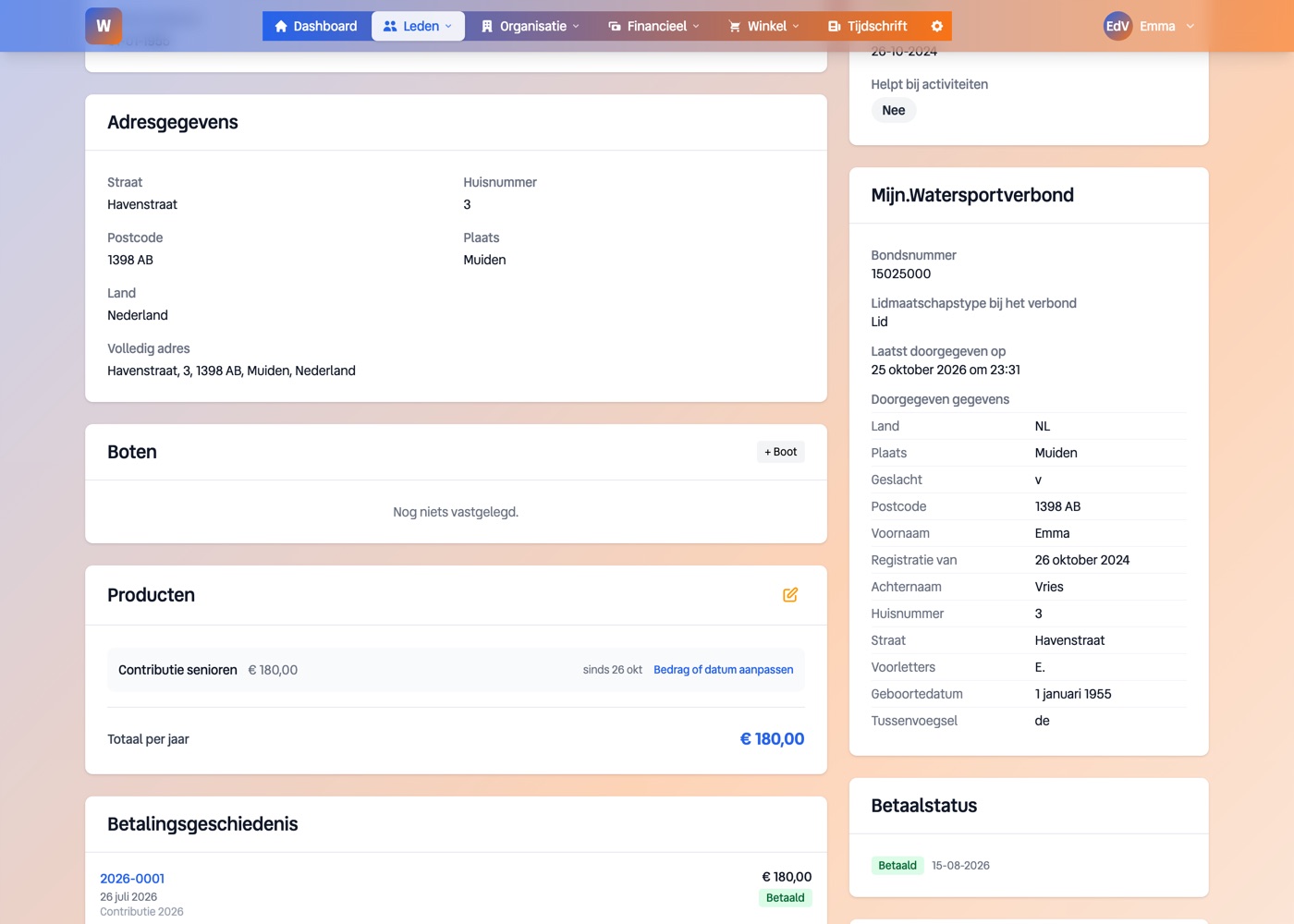
The connection page shows how many members are passed on, how many have a federation number and when the last run was. On each member you can see what the Watersportverbond holds about them.
What is passed on
First name, initials, surname prefix and surname, gender (from the salutation), date of birth, address with country, email address and phone number, the member-since date and, when the membership ends, the end date. Members with the status active or cancelled are included; prospective members only once they become active.
The Watersportverbond requires a surname, a first name or initials, a salutation (Mr or Ms), the date of birth, the address and the member-since date. If any of these is missing, Ledenboek waits until it has been filled in.
Cancellation and death
When you cancel a member with an end date, that end date goes to the Watersportverbond. Once the date has passed, Ledenboek removes the federation number from the member; the old number stays visible on the member. If they rejoin later, Ledenboek registers them again.
When a member has died, Ledenboek does not pass on an end date but sends an email to the Watersportverbond, with a copy to the board. Do not enter an end date in Mijn.Watersportverbond yourself: the federation handles it, and as soon as an end date appears there, Ledenboek takes it over.
What it does not do
- •Board positions and officers do not go through the connection; you pass those on in Mijn.Watersportverbond.
- •Ledenboek only links on an unambiguous match. A member without a date of birth, or with a differently spelled surname, needs to be completed first or checked with the federation.
- •The Watersportverbond decides the membership type. Ledenboek shows it on the member but does not change it.
Frequently asked questions
Do we still need to keep members up to date in Mijn.Watersportverbond?
No. You keep your members in Ledenboek and the connection makes sure the Watersportverbond knows the same. If something does change in Mijn.Watersportverbond, it comes back to Ledenboek.
We have had members at the federation for years. Will they end up there twice?
Not if you click Link existing members first. Every member Ledenboek finds then gets their existing federation number and is updated rather than registered again.
A member is listed under Cannot be reported. What now?
The list says what is missing, for example the date of birth. Add it on the member; when you save, they go to the Watersportverbond after all, or otherwise in the 23:30 run.