Sell club clothing and equipment to your members
A shop for your own members, with stock, orders and automatic confirmations. No separate web shop needed.
Why an ordinary web shop does not fit here
Associations sell club shirts, equipment and sometimes refreshments. That usually goes through a sign-up sheet, a group chat or a separate order form, and then someone has to keep track by hand of who has paid and who has already collected their shirt.
Setting up a real web shop is too much work for those few items, and it does not know who your members are either. In Ledenboek the shop sits next to your member list, so an order belongs to a member straight away.
How it works
-
1
Set up your items
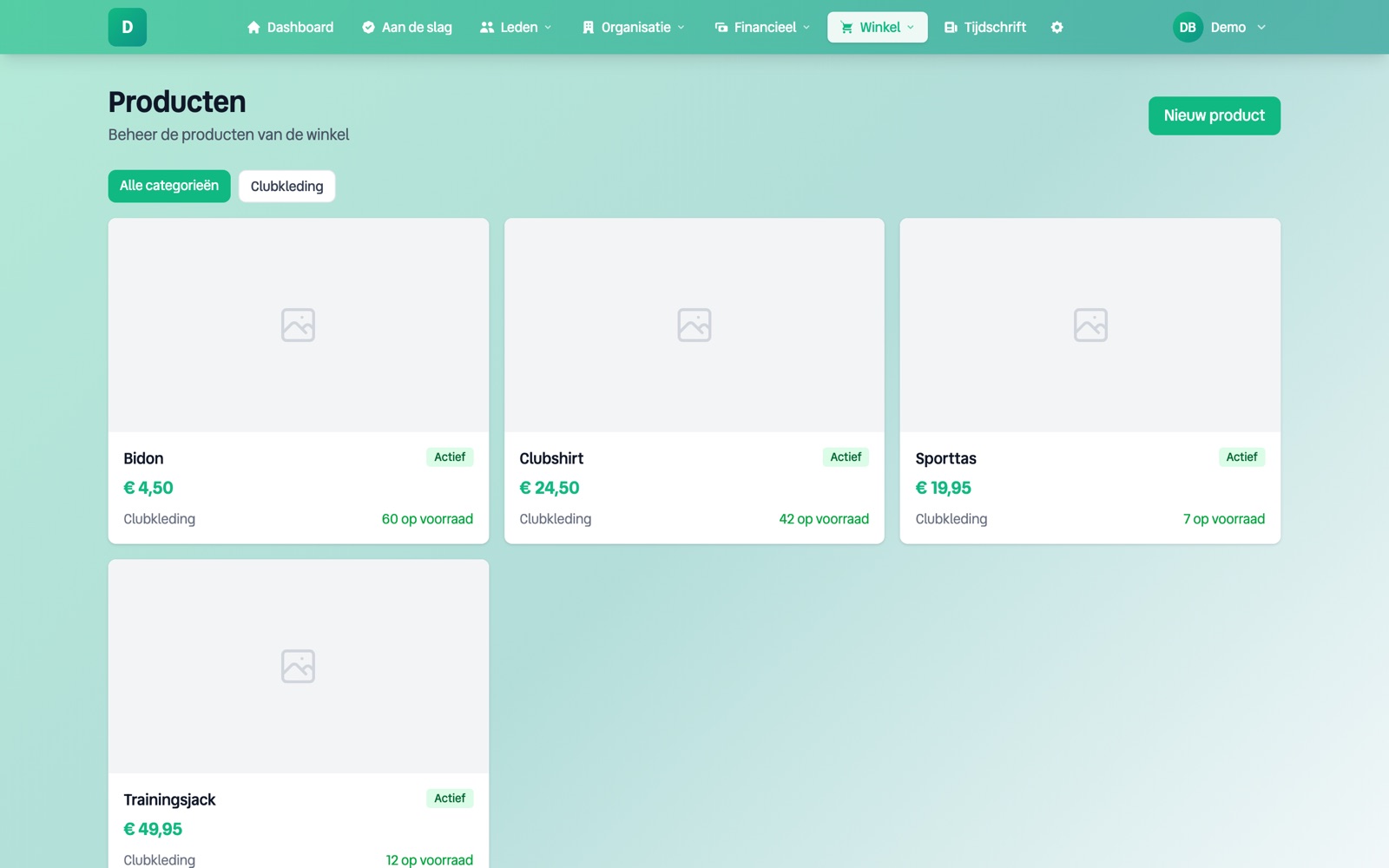
You create categories and products, with price, photo and stock. When something runs out, it can no longer be ordered.
-
2
Members order themselves
From the member portal a member puts items in the basket and checks out. The order is in their name, so you always know whose it is.
-
3
You process
An order moves from new to paid, and then to shipped or collected. When shipping you can add a tracking code, which ends up in the shipping email to the customer.
-
4
Stock stays correct on its own
Stock goes down with an order and back up when an order is cancelled. Orders left hanging without payment expire automatically, so your stock does not get stuck.
What the shop looks like for you
What it does not do
- •By default the shop is only for your own members. If you make it public, visitors to your website can order too.
- •There is no link with a parcel service. You fill in a tracking code yourself.
- •There are no discount codes or promotions. A price is a price.
Frequently asked questions
How do members pay?
With the same payment methods as the membership fee, so iDEAL and the other methods you have enabled in Mollie.
Does a member get a message when their order has been shipped?
Yes. When the order is confirmed and when it is shipped, an email goes out automatically in your association's house style. The shipping email includes the tracking code if you fill it in.
Can I see when something is nearly sold out?
Yes. When a product's stock drops to 3 or fewer, the board gets one notification, so you can reorder in time.